
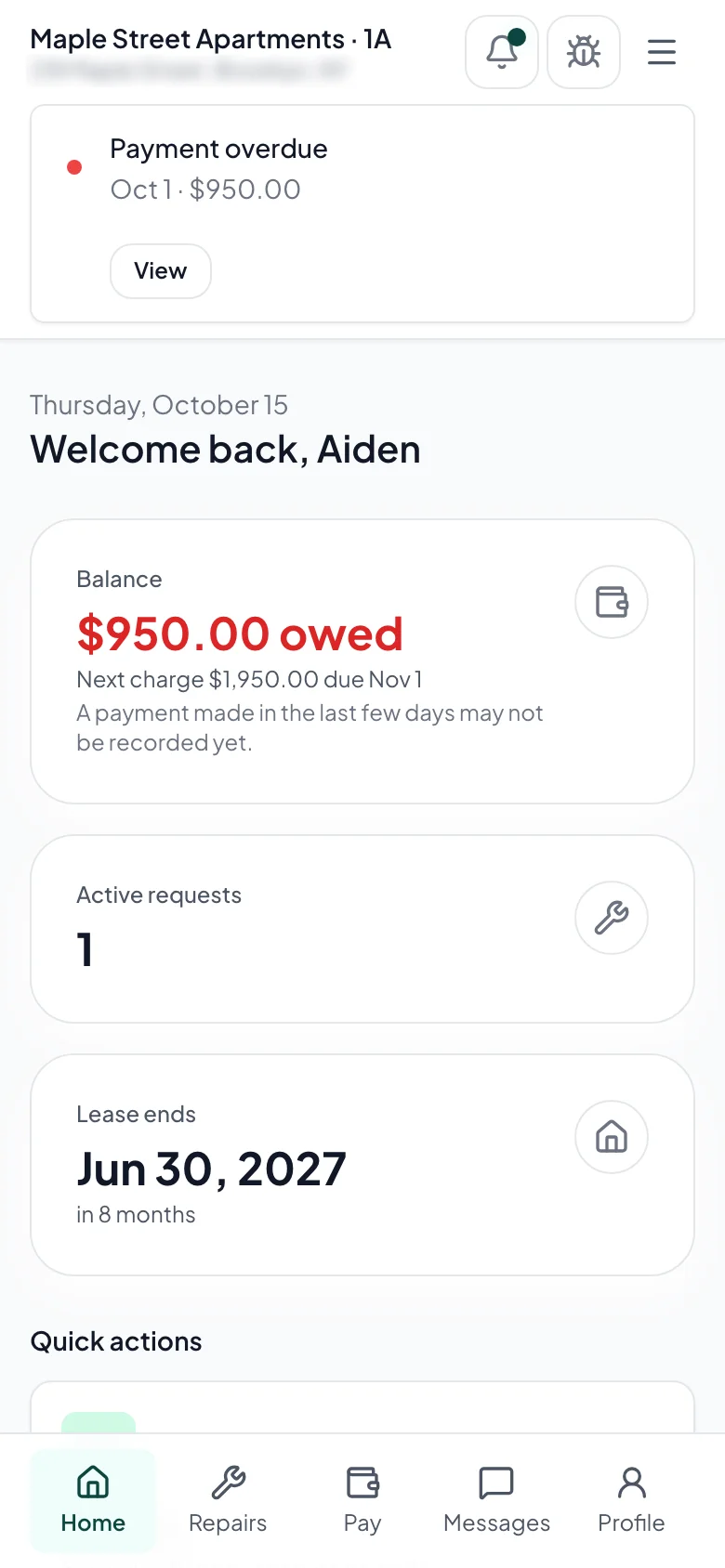
What it does
Self-service payments
Tenants see their balance, pay rent, set up autopay, and download receipts, so they can confirm a payment without texting you.
Maintenance from anywhere
Tenants report issues with photos, follow each ticket's status, and see when the vendor is scheduled.
Document access
The lease, move-in inspection, and house rules stay in the portal, so you don't have to email them again.
The four steps
- 1
Invite your tenant
Enter the tenant's email and Rentra sends them an invite link.
- 2
They set up payment
They link a bank account or card once and can turn on autopay.
- 3
Records in one place
Balance, payment history, maintenance tickets, lease documents: all in one place.
- 4
You get fewer interruptions
Tenants look up balances and repair status themselves, and requests arrive as tickets.
All included in the per-unit price
Online rent payment
Tenants pay by ACH or card, check their balance, and download receipts.
Autopay enrollment
Tenants turn it on once and rent is paid each month.
Maintenance requests
Tenants submit requests with photos and see the status and visit time.
Document library
The lease, move-in checklist, and house rules stay in the portal.
Payment history
Full history of payments, late fees, and credits.
Messages
Your messages to the tenant, kept in one place.
Other features
Rentra vs Buildium
Buildium's plans start at $65 to $420 a month and are designed for management companies with staff and owner clients. Rentra is $5 a unit for landlords who manage their own rentals.
ComparisonRentra vs AppFolio
AppFolio sells to property management companies and prices by quote. This comparison is for landlords with fewer than 50 units who manage their own.
ComparisonRentra vs TurboTenant
TurboTenant's free plan covers listings, screening, and rent collection. The differences with Rentra are in the work after move-in: tenant texts, repairs, and bookkeeping.
Use caseProperty Management for Single-Property Landlords
You don't need enterprise software to manage one rental